Events
Understanding and managing events within the platform.
Creating Events
Events represent key conversion actions or interactions you want to track inside WhatsApp.
By default, Whello sets incoming_whatsapp as the trigger keyword to track every new incoming chat automatically.
Events allow you to send real conversion data from WhatsApp directly to your selected ad platforms — Meta, TikTok, or Google Analytics 4 (GA4) — keeping your campaign performance fully synchronized with actual conversations.
How to Create an Event
Go to Events in the sidebar.
Click Add New.

Fill in the following fields:
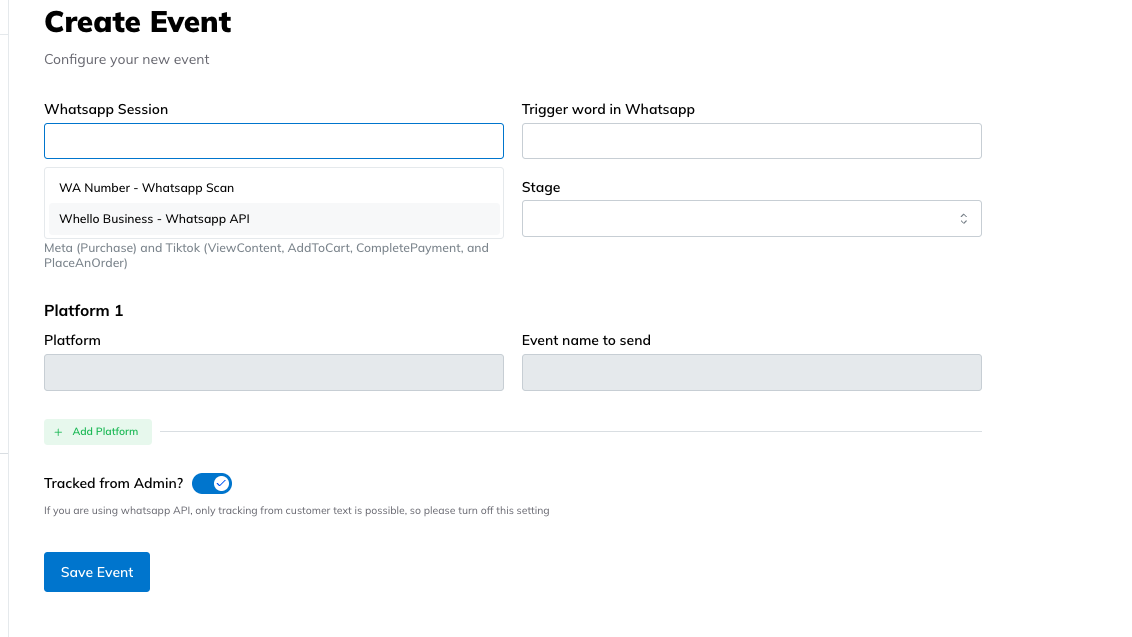
WhatsApp Session
Choose the connected WhatsApp account.
Trigger Word in WhatsApp
Enter the phrase that activates the event (e.g., “pembayaran sudah kami terima”).
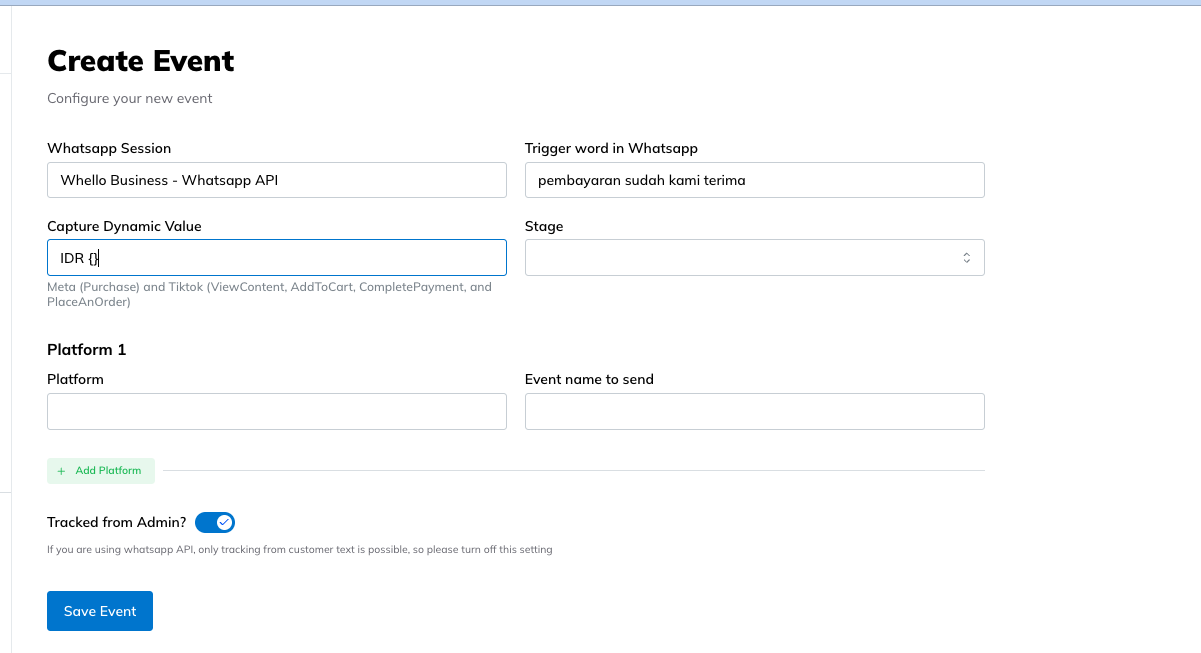
Capture Dynamic Value (Optional)
Include variables like purchase amount (IDR ) if needed.
Rule: Trigger the keyword + a word before the value (e.g., IDR).
Example: “pembayaran sudah kami terima IDR 1,000,000”
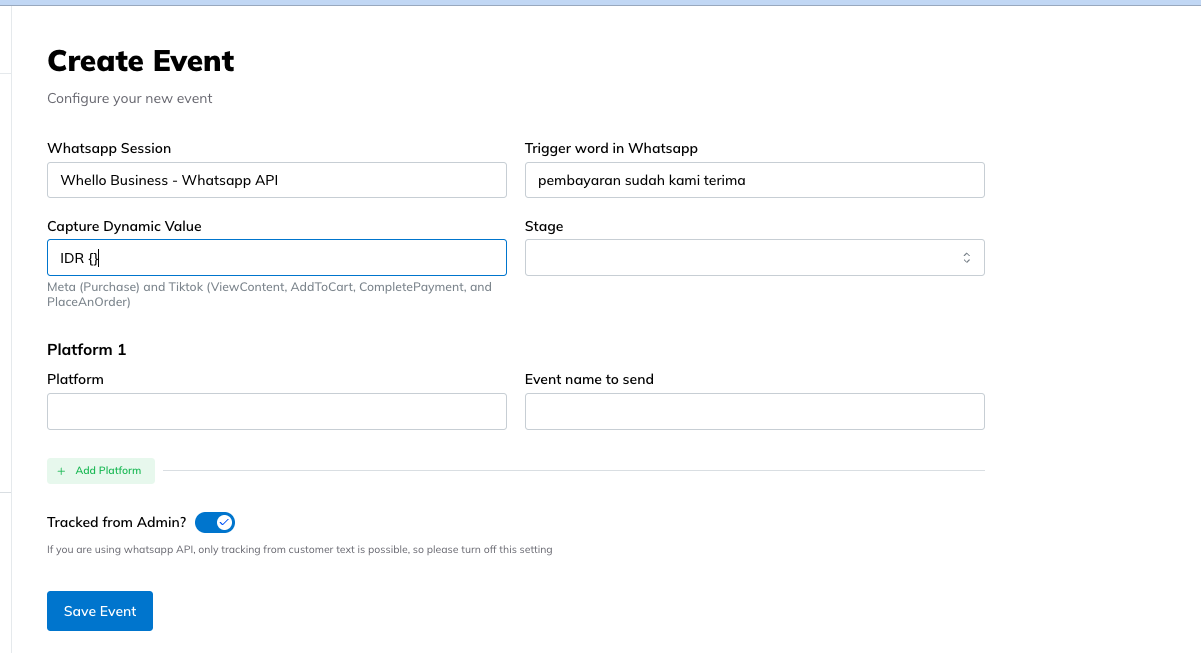
Stages
Choose one of the stages of that conversion, e.g., Purchase.
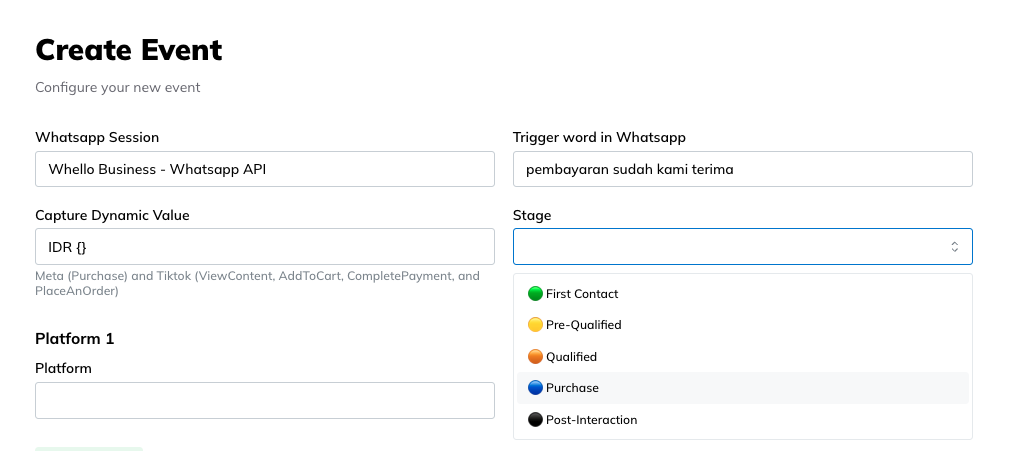
Platform
Choose one or more: Meta Pixel, TikTok Pixel, or GA4 (configured previously in Config).
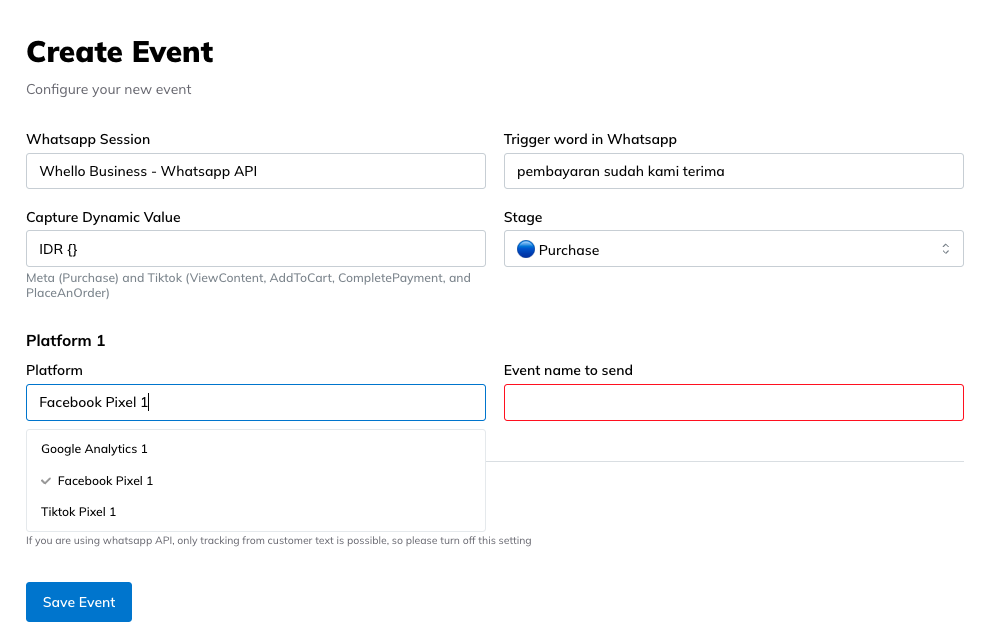
Event Name to Send
Select the event to send as a conversion event to the platform via API (Lead, Purchase, InitiateCheckout, etc.).
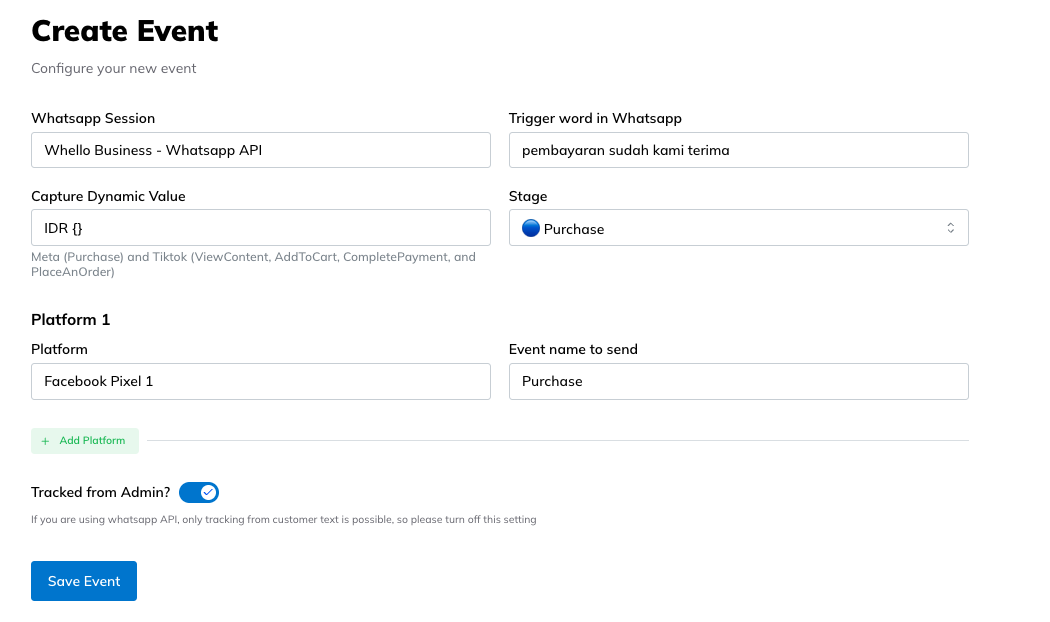
Tracked from Admin
Enable this since the keyword is sent by the Admin to have controllable trigger.
Click Save Event once configured.
How Keyword Tracking Works
Whello uses keyword-based automation to trigger events from real chat messages.
Each time a WhatsApp message is received, Whello scans for your defined trigger words or phrases.
Matching Rules
✅ Triggers Event
If the full trigger phrase appears in a message — even with extra words before or after it — the event fires.
Example Trigger: “pembayaran sudah kami terima IDR 1,000,000”
Matches:
- “Baik, pembayaran sudah kami terima IDR 1,000,0000 ya 🙏”
- “Pembayaran sudah kami terima IDR 1,000,0000 dan pesanan diproses”
Conversion Triggered: Purchase 1x, Value of Purchase 1,000,000
❌ Does Not Trigger
If the trigger phrase is embedded inside another word or sentence without the full match.
Does Not Match:
- “pembayaran sudah kami terimakasih”
- “sudah kami terima pembayaranannya”
This logic ensures only accurate and intentional conversions (like confirmed transactions or responses from Admin) are tracked.
Example: Common Keyword Triggers
| Event Type | Example Keyword | Description |
|---|---|---|
| First Contact | incoming_whatsapp | Default trigger for all new conversations |
| Pre-Qualified | Berikut daftar harga, pricelist nya sebagai berikut | Indicates interest in a product or service |
| Qualified | Kami Jadwalkan ya, berikut invoice nya, berikut penawarannya | Customer begins purchase process |
| Purchase | pembayaran sudah kami terima, sudah transfer, payment received, booking confirmed | Confirms a successful transaction |
| Post-Interaction | Boleh kirim testimony kak?, boleh minta masukan?, mohon google reviewnya ya | Useful for retention and loyalty tracking |
This smart partial matching ensures that only intentional messages (like real purchase confirmations) activate the conversion, keeping your analytics clean and accurate.